


|
Name |
Tasker |
|---|---|
|
Google Play Link |
GET IT ON
Google Play
|
|
Category |
Tools |
|
Developer |
joaomgcd |
| Last version | 6.7.8 |
|
Updated |
|
|
Compatible with |
Android 5.0+ |
Introduction to Tasker APK
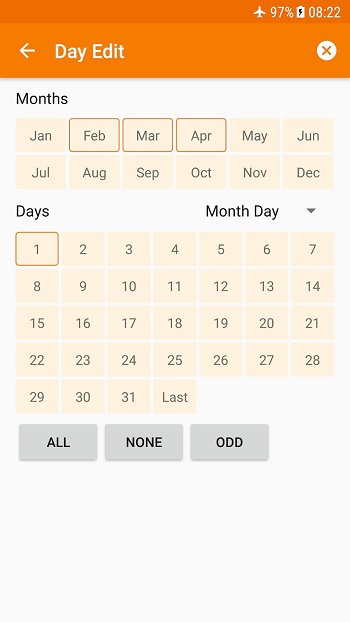
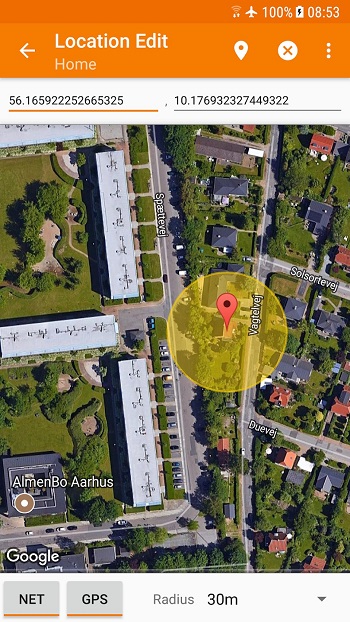
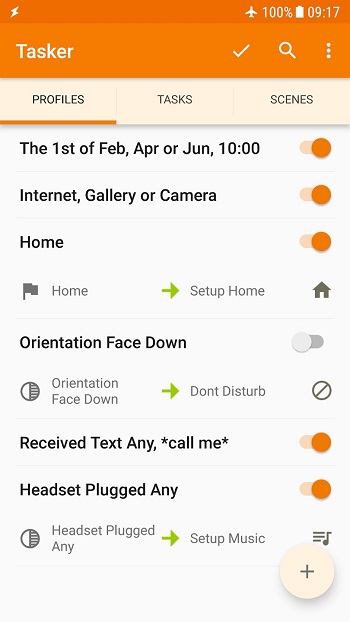
Tasker is an Android automation app built for people who want their phone to handle routine actions automatically. It lets you create custom rules based on things like time, location, Wi-Fi, apps, calls, messages, and system status. Instead of tapping through the same settings every day, you can set conditions once and let the app run in the background.
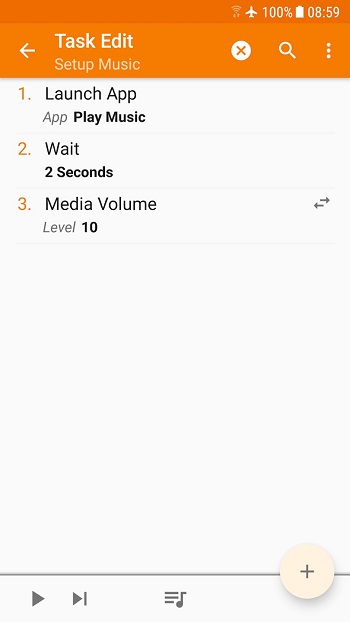
The main use of Tasker is automating tasks that normally take extra time or attention. You can change volume levels when you arrive at work, turn on dark mode at night, send an automatic text in certain situations, launch apps with shortcuts, or control music playback with buttons and widgets. It also supports many system actions, file handling, notifications, and web requests, so it can cover simple routines and more advanced setups.
A big part of its appeal is flexibility. Tasker gives users a huge range of triggers and actions, which means one setup can be very basic while another can feel like a mini control center for your phone. It also includes support for custom scenes, so you can build your own small interface for tasks and shortcuts. For people who like tinkering, that freedom is half the fun and half the reason they suddenly lose track of time.
Tasker can also be practical for backup and device management. Users can set up automatic file backups to local storage, external drives, or cloud services like Google Drive. It can check for updates from specific sites, work with remote tools like Join, and connect with third-party plugins for even more control. That makes it useful for power users, productivity fans, and anyone who wants their Android device to react more intelligently.
The biggest advantage is convenience. Once your routines are set, the app can reduce repetitive actions and make your phone feel more personal. It is especially helpful for people who switch settings often during the day, manage many notifications, or want quick actions tied to hardware buttons, tiles, and widgets. There is also a lot of room to grow, so beginners can start small and build more complex automations later.
The main drawback is the learning curve. Tasker has many options, and the interface can feel dense at first. Some advanced actions may need extra permissions, plugins, or device-specific workarounds, and a few functions depend on root access on certain phones. It is best suited to Android users who like customization, need automation for daily habits, or want tighter control over how their device behaves in real situations.
FAQs Tasker
What is Tasker?
+
Tasker is an Android automation app that lets your phone perform actions automatically based on custom triggers like time, location, apps, messages, or device status.
What is Tasker used for?
+
Tasker is used to automate everyday phone tasks, such as changing settings, sending messages, opening apps, creating shortcuts, managing files, and running custom routines.
Is Tasker good for beginners?
+
Tasker can work for beginners if they start with simple automations, but the app has a learning curve because it offers many settings, triggers, and advanced customization options.
Can Tasker work without root?
+
Yes, Tasker works without root for most features, including many automations, shortcuts, notifications, and system changes, though a few actions may need root on some devices.
Who should use Tasker?
+
Tasker is best for Android users who want more control over their phone, automate daily routines, reduce repetitive actions, or build custom setups for productivity and convenience.
Discover More Interesting Apps
-

Tasker App Factory
v6.7.8
36.36 Mb
Updated -
Happy Chick
v1.9.6
142.57 Mb
Updated -
Guma AI
v1.2.4
112.66 Mb
Updated -
Privacy Display
v1.9.4
6.77 Mb
Updated -
Floatify
v26.11.03
16.42 Mb
Updated -
Mod
Multi App
v3.0.7
37.89 Mb
Updated -
Mod
LTE Discovery
v7.6.33
26.73 Mb
Updated -
Mod
Fast Pairing
v3.0.1003949297
7.55 Mb
Updated -
Mod
Overlay Monitor CPU/Battery
v0.8.0
8.41 Mb
Updated -
Poshan Tracker
v25.3.16
210.75 Mb
Updated










Share Your Thoughts